Blog

What to Expect From a Professional Starlink Installation in Yuma, AZ

A professional Starlink installation is more than plugging in the dish. It usually covers five things: finding a location with a clear view of the sky, mounting the dish permanently, routing the cable and protecting where it enters the building, connecting Starlink to the right router, and making sure Wi-Fi actually reaches the places you use. Here is what each step involves, and what to ask before you hire someone.

Is buying Starlink the same as hiring an installer?

No. Starlink internet service and a professional installation are separate purchases. You get your Starlink kit directly from Starlink or from a local retailer where available, and you keep your own Starlink subscription, so the account and billing stay between you and Starlink. An installer is hired separately to mount, route, connect and integrate the equipment you own. With WOW Electronics, the customer also provides the compatible Starlink mount, and WOW can check the proposed location and hardware compatibility before you order it.

How do you choose where to put a Starlink dish?

Starlink needs a clear view of the sky so it can stay connected as satellites move overhead. Starlink notes that objects such as a tree branch, a pole or a roof can interrupt that connection. The best location is the one with the clearest sky view that can also be mounted securely and reached with the cable — which is not always the highest point on the building.

How do you check a location for obstructions?

The Starlink app includes a "Check for Obstructions" tool. You stand at the proposed location, hold your phone as close as possible to the height and position the dish will occupy, and scan the sky with the camera. The app estimates how obstructed that spot is, and you can repeat the scan at several locations. Starlink recommends doing this before permanently installing the dish, and, in heavily obstructed areas, before ordering.

Does Starlink need to be permanently mounted?

Not necessarily, but Starlink recommends permanent installation for the best performance, cable protection and long-term reliability. A temporary setup on the ground or a stand can shift, get bumped, or leave the cable exposed. A permanent mount keeps the dish where its sky view was checked and keeps the cable protected.
Continue reading

What to Expect From a Commercial Security Camera Installation in Yuma, AZ

It Starts With a Site Walk, Not a Quote Over the Phone

A commercial security camera system can't be accurately scoped from a phone call. Every building is laid out differently, and the areas that matter most to one business — a loading dock, a cash register, a back gate — may not matter at all to the business next door. Before any equipment is specified, a proper installation starts with a site walk: someone actually walking the property with you, looking at the spaces you're trying to protect and the areas that already give you trouble.

During that walk, you're not expected to arrive with a technical plan. You're expected to know your business — where problems have happened before, which areas feel exposed, and which areas simply need to be documented for peace of mind. The installer's job is to translate that into a workable camera plan.

What the System Actually Needs to Show You

Every space on a commercial property serves a different purpose, and a useful camera system reflects that rather than treating the whole building the same way.

Entrances, Exits, and Points of Sale

Doors and checkout areas are usually the first priority, since they see the most foot traffic and the most activity worth reviewing later. Clear coverage here tends to matter more than coverage almost anywhere else on the property.

Parking Lots, Loading Docks, and Perimeter Areas

Outdoor areas bring their own considerations — lighting changes throughout the day, weather, and distances that are much greater than an interior hallway. A loading dock or parking lot often needs different equipment than an indoor space simply because of how far the camera has to see and how much the light changes.

Continue reading

Why Your Yuma Backyard Needs a Better Wi-Fi Plan

why-your-yuma-backyard-needs-a-better-wi-fi-plan

Your Network Was Likely Built for Indoor Use, But Your Lifestyle Wasn’t

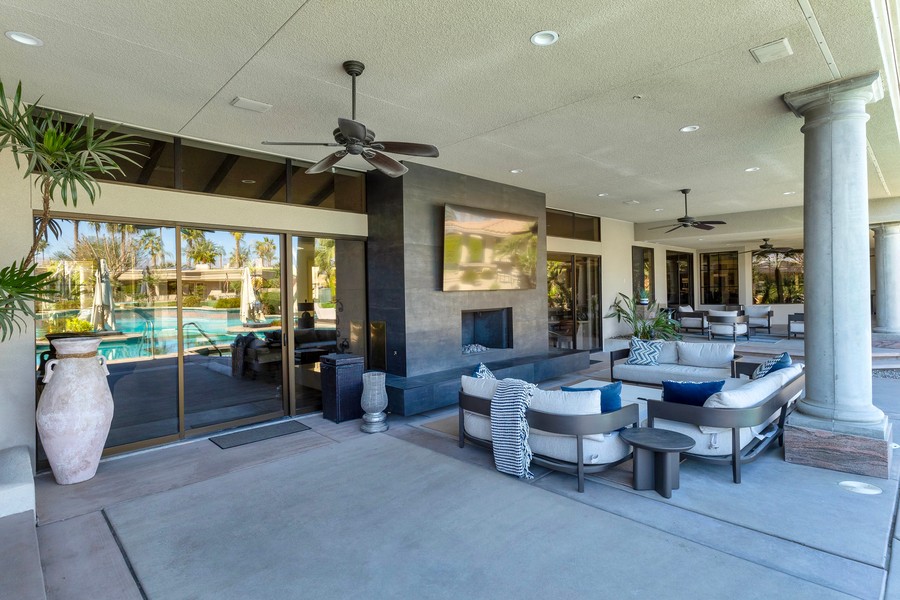
Yuma is one of the sunniest places in the country, which is a big reason so much of life here happens outdoors. A patio TV can carry football season well into the evening once the heat breaks, while poolside speakers, landscape lighting, and outdoor entertaining spaces can keep a backyard in use for much of the year.

The problem is that many home networks were never designed with those spaces in mind.

A router tucked into a back office may work perfectly for a bedroom, laptop, and streaming device inside the house, but it can struggle once block walls, stucco, exterior construction, and forty or fifty feet of open space stand between it and the patio.

If your outdoor TV buffers during the game, music drops out by the pool, or connected devices lose signal once you step outside, the problem may not be the TV or speakers at all. It may simply be a network being asked to cover more territory than it was designed for.

Keep reading to see how a professionally designed home network and Wi-Fi system can keep your outdoor technology running the way it should.

How Many Wi-Fi Access Points Does an Office Need?

If you’re planning Wi-Fi for a business space — a new office, an expansion, a tenant build-out, or fixing dead zones in the space you already have — “how many access points do we need” is usually the first question that comes up. There’s no reliable shortcut from square footage to an access point count; anyone offering one without having looked at your space is guessing.

This isn’t a home Wi-Fi question. If you’re planning Wi-Fi for a home or larger residential property rather than a business, our guide to residential access point planning covers that instead. Office Wi-Fi has to support concurrent video calls, cloud applications, guest and BYOD traffic, and a full workday of simultaneous use — reliability expectations a home network usually doesn’t have to meet. This article covers what actually drives access point count in a commercial space, why more access points isn’t automatically better, and how AP planning connects to the wired network behind it.

Coverage and Capacity Are Two Different Problems

It’s tempting to think of Wi-Fi planning as a single question — “does the signal reach?” — but that’s only half of it. Coverage is whether a usable signal physically reaches every part of the space. Capacity is whether the access points serving that space can actually support the number of active clients and their applications at an acceptable performance level — not just whether the signal is present, but whether it holds up under real, simultaneous use.

A single access point can have excellent signal strength throughout an open floor and still perform poorly during a busy stretch of the day if too many people are on video calls at once and the access point doesn’t have the capacity to serve that many high-bandwidth connections well. Conversely, a space can have plenty of access points for capacity and still have dead zones because of how the signal is blocked by walls, floors, or interior construction. Commercial Wi-Fi planning has to solve both problems together, which is the main reason a formula based on square footage alone doesn’t hold up — square footage speaks to coverage, but says nothing about how many people or devices will actually be using the network.

What Actually Drives Access Point Count in an Office

There’s no single number that applies to every office, because the factors that matter vary from one space to the next. In general terms, these are the factors that most affect how many access points a commercial space needs:

Continue reading